Cheeky Christmas Digital Clipart: Festive Design Assets
The holiday season brings a specific kind of creative pressure. Whether you are a small business owner trying to spruce up an email newsletter, a blogger needing a festive header, or a crafter finishing a last-minute scrapbook page, the need for high-quality, versatile Christmas graphics is universal. However, sourcing these assets can be a headache. You often encounter generic snowflakes, low-resolution files that pixelate when you resize them, or licensing restrictions that make commercial use a legal minefield.
This is where a robust collection of design assets becomes invaluable. We are looking at the Cheeky Christmas Digital Clipart Clip Art Illustrations pack, a curated set designed to inject personality and professionalism into your holiday projects. Unlike standard clip art, which can feel dated or flat, this collection focuses on "kawaii" style and layered file formats, offering a distinct aesthetic that appeals to a modern audience.
The Anatomy of a Premium Asset Pack
When evaluating design assets for commercial or personal use, the file format is just as important as the visual. This pack includes eight original illustrations provided in .AI, .EPS, Layered .PSD, and .TIF formats. For the uninitiated, this distinction matters. A standard JPEG or PNG is a "flat" file. You get exactly what you see, and resizing it significantly often leads to quality loss.
By providing vector formats (.AI and .EPS), these illustrations can be scaled to the size of a billboard or a postage stamp without losing a single pixel of sharpness. This is crucial for logo design and packaging design where clarity is non-negotiable. The inclusion of Layered .PSD files means Adobe Photoshop users have the flexibility to separate elements, adjust shadows, or change colors without destructive editing. This level of versatility is a hallmark of professional-grade creative font and asset packs.
Visual Style and Personality
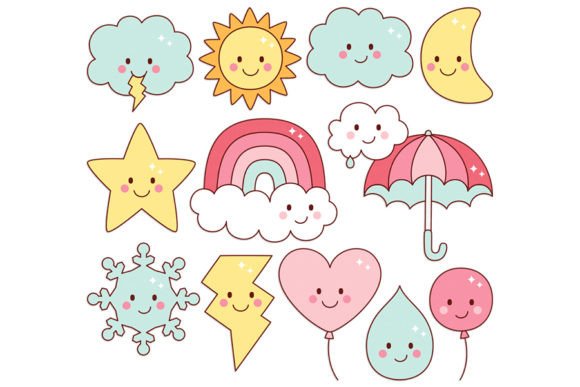
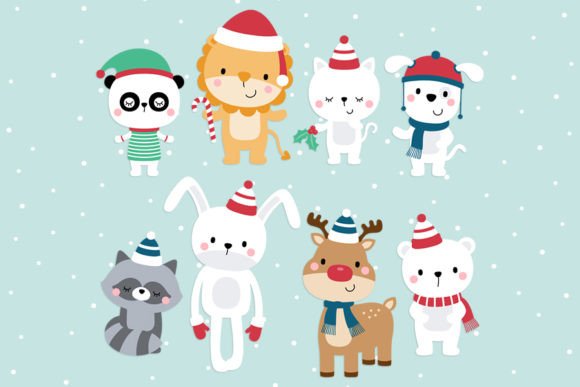
The term "Cheeky" in the title is intentional. This isn't your grandmother’s traditional Christmas imagery. The visual language here leans heavily into the kawaii aesthetic—characterized by rounded edges, soft features, and an anthropomorphic charm that gives inanimate objects a sense of life and humor.
This style taps into a broader trend in modern typography and illustration where approachability trumps formality. It works exceptionally well for brands targeting families, younger demographics, or anyone looking to convey a sense of joy and whimsy. If your brand identity usually relies on a friendly handwritten font or a playful script font, these illustrations will integrate seamlessly. They soften the hard edges of corporate branding and make content feel more accessible and engaging.
Practical Applications for Creators and Businesses
The utility of the Cheeky Christmas Digital Clipart extends far beyond simple stickers. Here is how different professionals can leverage these assets effectively:
- Digital Scrapbooking and Card Making: The pack includes a Bonus 12x12 snowy background, specifically sized for digital scrapbook designers. This ensures that the background texture matches the resolution requirements of standard printing services, eliminating the guesswork for hobbyists.
- Educational Use: For teachers and content creators in the education sector, "cheeky" characters help maintain student engagement. These assets work well for creating interactive PDFs, classroom worksheets, or digital presentations that need a visual hook.
- Social Media Graphics: In the fast-scroll environment of Instagram or TikTok, personality wins. Using these illustrations as stickers or standalone posts can break up the monotony of text-heavy content. They pair exceptionally well with bold sans serif font typography for captions.
- Small Business Marketing: Entrepreneurs can use these assets to create cohesive holiday campaigns. Imagine a bakery using one of the characters on their menu, their social media ads, and their email headers. Consistency in design assets builds brand recognition faster than almost any other strategy.
Strategic Design Pairings
A common challenge when using clip art is ensuring it doesn't clash with your typography. Because the Cheeky Christmas Digital Clipart illustrations are detailed and character-driven, they act as a visual anchor.
If you are using a complex display font for your headers, ensure the clip art elements are placed with ample white space to avoid visual clutter. Conversely, if your layout is text-heavy, these illustrations work best as "spot illustrations"—small icons placed in the margins or at the end of paragraphs to guide the reader's eye. For a cohesive look, try pairing the soft, rounded aesthetic of the clip art with a geometric serif font or a clean modern typography style. This contrast creates a dynamic hierarchy that looks intentional and professionally curated.
Commercial Licensing and The Fine Print
One of the most critical aspects of using third-party assets is understanding the license. The Cheeky Christmas Digital Clipart pack clearly states that it includes Original illustrations by Miss Tiina | All Rights Reserved. This listing is for DIGITAL files, not physical items.
For small business owners, this is a vital distinction. "Royalty-free" usually means you pay once and use the asset multiple times in your own projects. However, you generally cannot resell the raw files themselves. For example, you can use these illustrations to design a t-shirt to sell, but you cannot sell the .EPS file to a competitor. Always double-check the specific license terms regarding print-on-demand (POD) services if that is your business model.
Evaluating Fit for Your Project
Before downloading and integrating the Cheeky Christmas Digital Clipart, perform a quick audit of your current project needs:
- Color Palette: Do the colors in the clip art match your existing brand palette? With Layered .PSD files, you have the flexibility to tweak hues, but it is easier if the base palette is close to your own.
- File Compatibility: Ensure your software can open vector files (.AI or .EPS). If you are using free tools like Canva, you may need to convert these to SVG or high-res PNGs first, which requires access to Adobe Illustrator or a similar converter.
- Audience Alignment: Does the "kawaii" style resonate with your audience? If you are a law firm, perhaps not. If you are a toy store, a children's book author, or a lifestyle blogger, this aesthetic is exactly what you need to bridge the gap between professional and personable.
Ultimately, the value of a design asset pack lies in its ability to solve problems. The Cheeky Christmas Digital Clipart Clip Art Illustrations